

How to automate influencer gifting on Shopify
Five steps, from choosing the gift to measuring what came back. One rule throughout: an offered gift is not a claimed gift, and a delivered parcel is not a published post.
On this page
What is influencer gifting?
Gifting means offering a product to a creator so they discover your brand. The term product seeding is also used. A gift sent without a content agreement does not guarantee a post. If you expect a specific deliverable, agree on it with the creator before shipping. Reference: Shopify’s guide to gifting.
Before you start, pick your objective: introduce a product, collect content, or build a relationship that can lead to affiliation. You will evaluate the results against it.
Prepare recipients and products
Select creators whose content and audience match your brand. Product fit matters as much as audience size. Creator Discovery scores each Instagram and TikTok creator against your Brand DNA, so the list starts from fit rather than follower count.
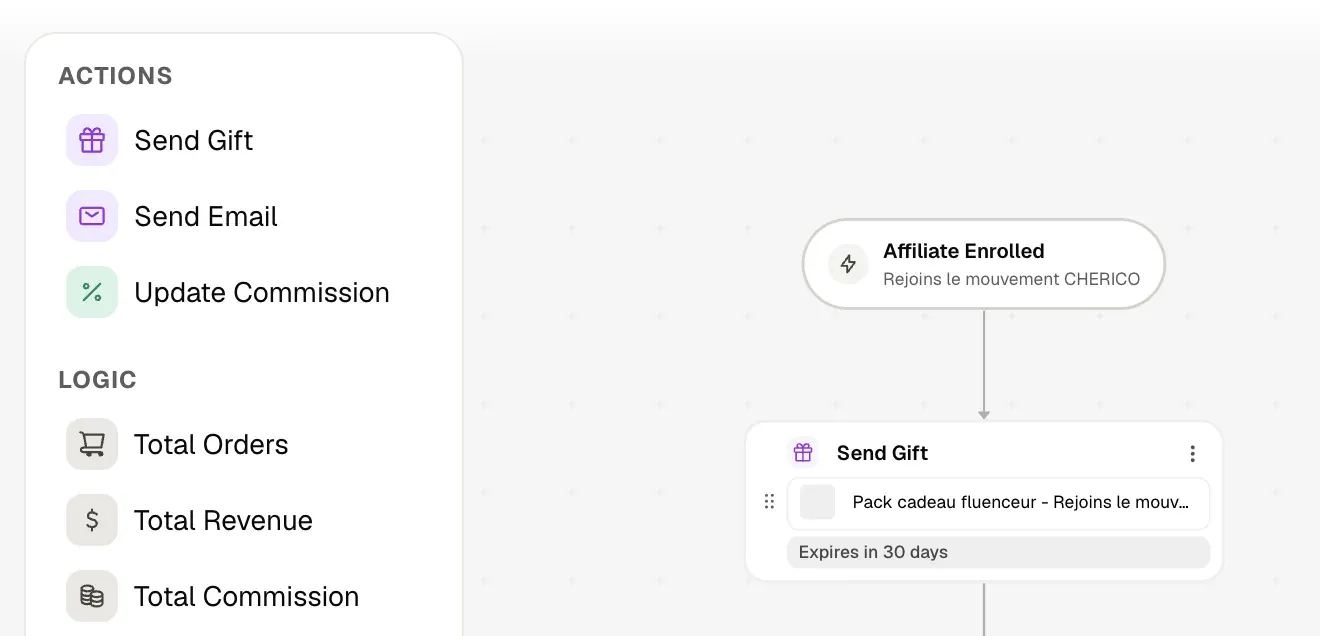
For each gift, set the product or the selection on offer, the available variants, the destinations you ship to and the claim deadline. Check stock and budget the cost of the product, preparation and delivery.
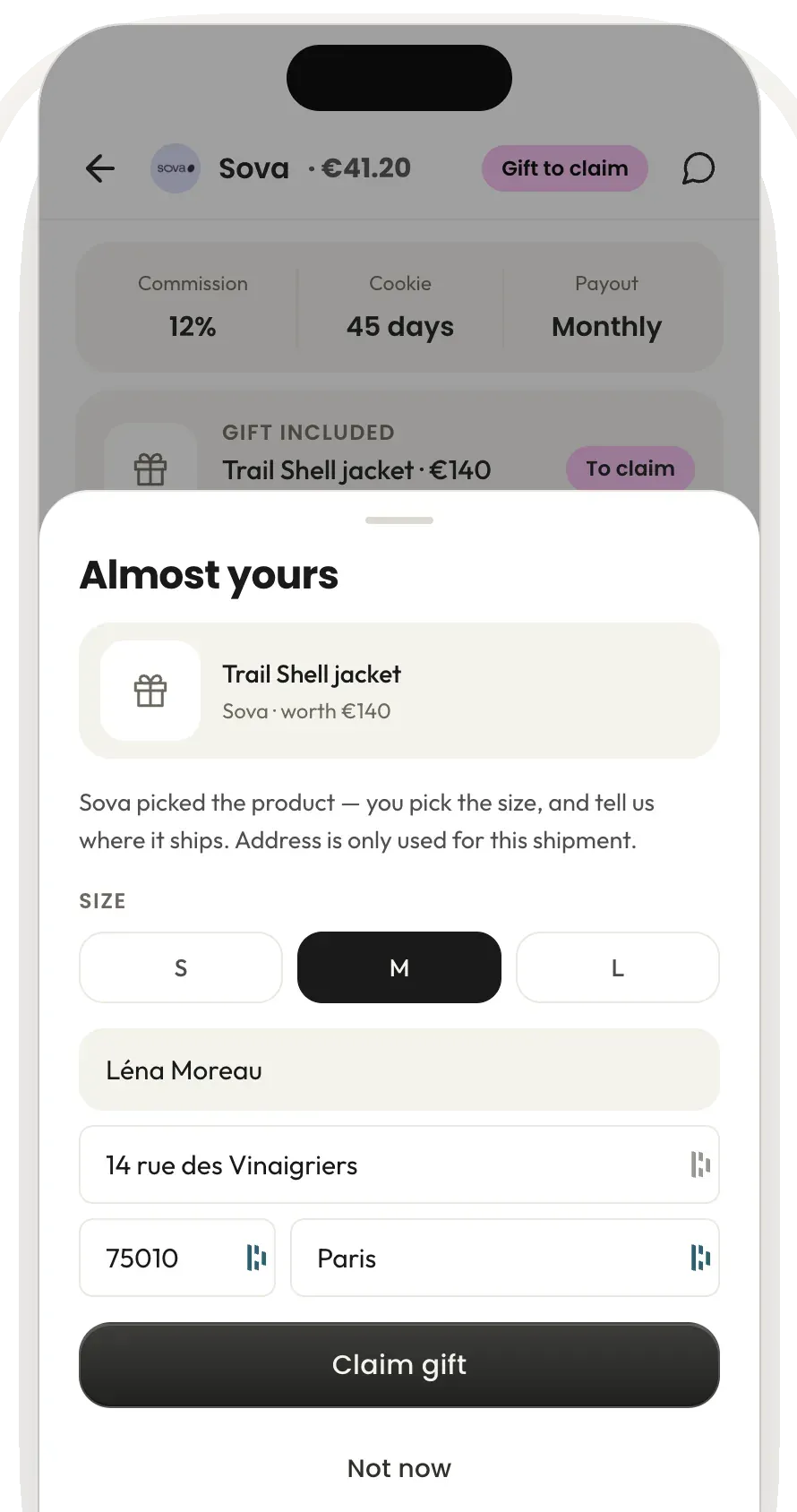
In Fluenceur, the claim flow lets you offer a single product or a choice from a collection. The recipient then picks a variant and enters an address before confirming.
Before inviting, make sure the recipient can access the flow. They need an affiliate account on Fluenceur; a social profile alone is not enough.
Get the gift confirmed before preparing the shipment
The recipient must understand what is offered and until when it can be claimed. The invitation should also say whether a post has been agreed.
The claim flow goes product → variant → address → confirmation. These steps stop you preparing a shipment on a guessed preference or an incomplete address.
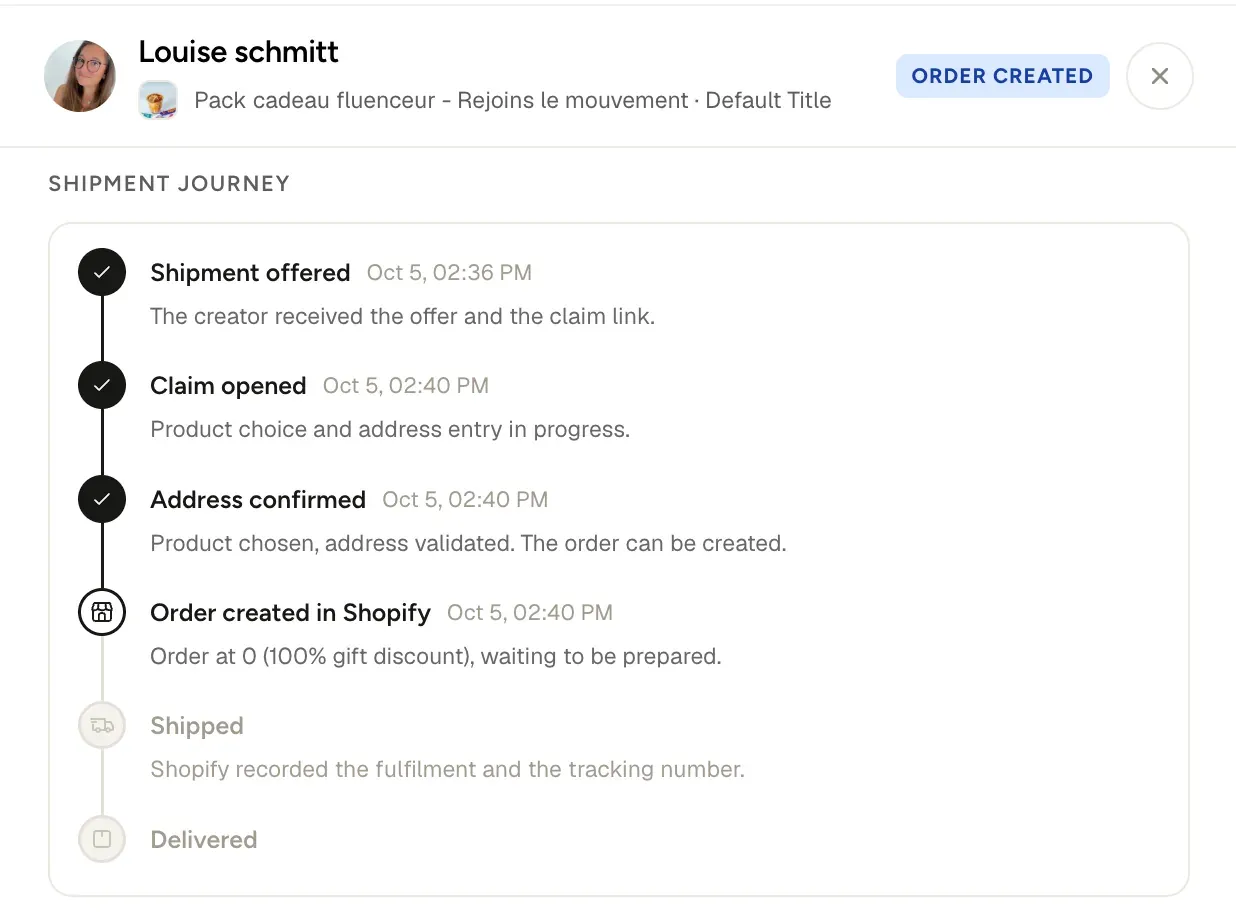
Fluenceur’s Shopify integration creates the gift order in your store. Check that the order exists and that your fulfilment can handle it. Creating the order and shipping the parcel are two distinct steps.
Track each stage separately
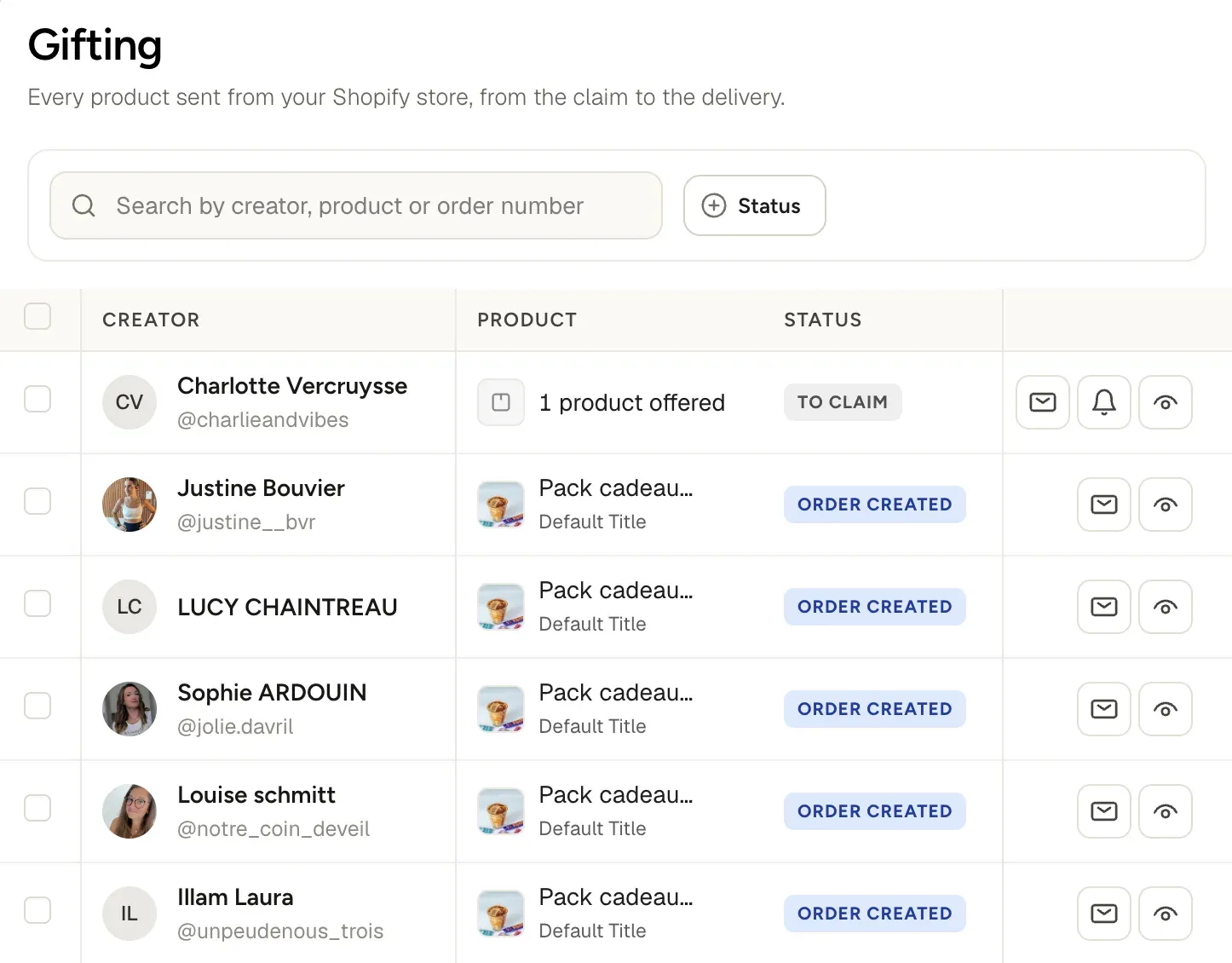
A single global status is not enough to decide what to do. Use these markers, whichever screen you read them from:
| Situation | What to check | Action |
|---|---|---|
| Gift offered, not claimed | Invitation reachable, deadline, last contact | Offer help if needed |
| Gift confirmed | Product, variant, address and order | Fix any blocker before preparation |
| Order shipped | Carrier information available | Check the tracking |
| Parcel delivered | Product received | Allow a fair trial period |
| Content published | Link, date, creator and campaign | Record the content and its results |
Delivery does not prove a post was published. Conversely, not finding content is not proof the creator published nothing.
Spot unclaimed gifts with AI Companion
AI CompanionFluenceur’s AI Companion surfaces unclaimed gifts that meet the follow-up conditions. The card shows the gift and its deadline, so you can decide whether to write to the recipient.
Open the proposed draft, check the context and choose to send. AI Companion prepares the action; the brand decides on sending.
A useful reminder recalls the gift and its deadline, then offers help. It does not demand a post that was never agreed.
Example wording, to personalise:
Your gift is still available until [date]. You can find it in your Fluenceur space. If you need help choosing your product or confirming your address, reply to this message.
This step concerns an unclaimed gift. Do not confuse it with a reminder about an undelivered parcel or expected content.
Measure results with distinct indicators
Start from the actual path of the gifts. Compute indicators on a single campaign, a defined period, and data old enough to leave time to receive and try the products.
| Indicator | Calculation | What it evaluates |
|---|---|---|
| Claim rate | Claimed gifts ÷ offered gifts × 100 | Move from offer to confirmation |
| Posting rate | Delivered recipients who posted ÷ delivered recipients × 100 | Share of delivered recipients with recorded content |
| Cost per content item | Total campaign cost ÷ distinct content items collected | Budget spent per piece of content obtained |
| Attributed sales | Orders linked to the campaign’s links or codes | Sales tracked by attribution |
Count the real cost of products and shipping in your budget. If no content is collected, cost per content item cannot be calculated. A zero-euro order in Shopify is still a cost to the brand.
Attributed sales do not necessarily cover every sale the campaign influenced. Nor do they prove profitability on their own: that depends on margins and total costs.
Manage gifting from Claude, ChatGPT or Gemini
With the Fluenceur MCP connector, every step above can be asked in a sentence. Answers come from your Fluenceur workspace, and changes are written back to it, visible to your whole team.


- Step 1 · Prepare
Create a gifting program called Autumn ritual for 15 creators, offering product, claim deadline October 31.
- Step 2 · Confirm
Invite the Autumn shortlist to Autumn ritual with a personalised message for each creator.
- Steps 3–4 · Track
Which gifts in Autumn ritual haven’t been claimed or delivered, and who still owes a Reel?
- Step 5 · Measure
How did Autumn ritual perform in October? Claim rate, posts and attributed sales.
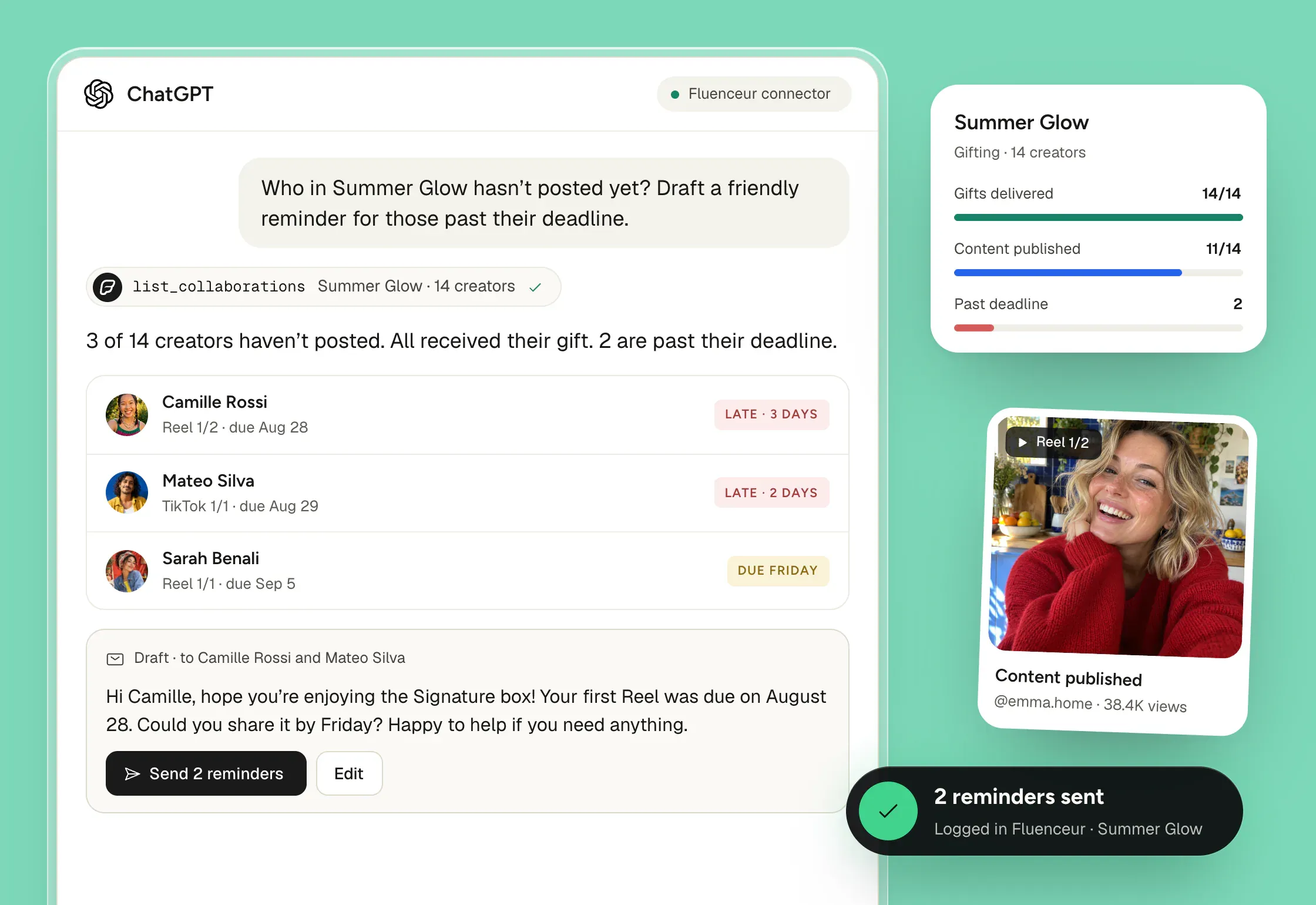
Invitations and reminders are prepared as drafts. Nothing is sent to a creator until you confirm.
MCP access is included in the Growth plan. Each team member connects with their own login, from Settings → MCP. How to connect your assistant
See the flow in Fluenceur
The walkthrough follows a Shopify brand from choosing the gift to tracking it, on both sides: what the brand sets up and what the recipient confirms.
- Offer setupProduct or collection, recipient, deadline
- Recipient claimVariant, address, confirmation
- Shopify orderThe order exists; fulfilment is separate
- Unclaimed giftAI Companion card and draft
- Follow-up decisionReview the message, then send
Questions
Does a gift guarantee a post?
No. A gift without a content agreement does not guarantee a post. Agree on deliverables before sending when you expect content.
Unclaimed gift or undelivered gift: what is the difference?
An unclaimed gift is waiting for the recipient’s confirmation. A delivery issue concerns a shipment already in the logistics flow. The check and the message to send are different.
Does AI Companion send reminders on its own?
No. For unclaimed gifts, the brand reviews the draft and decides whether to send it.
Was this helpful?